Managing social media for multiple clients can be overwhelming – content ideas, captions, hashtags, scheduling. Copy.ai’s **Workflows** feature automates repetitive tasks, helping you generate, repurpose, and repurpose content in minutes.
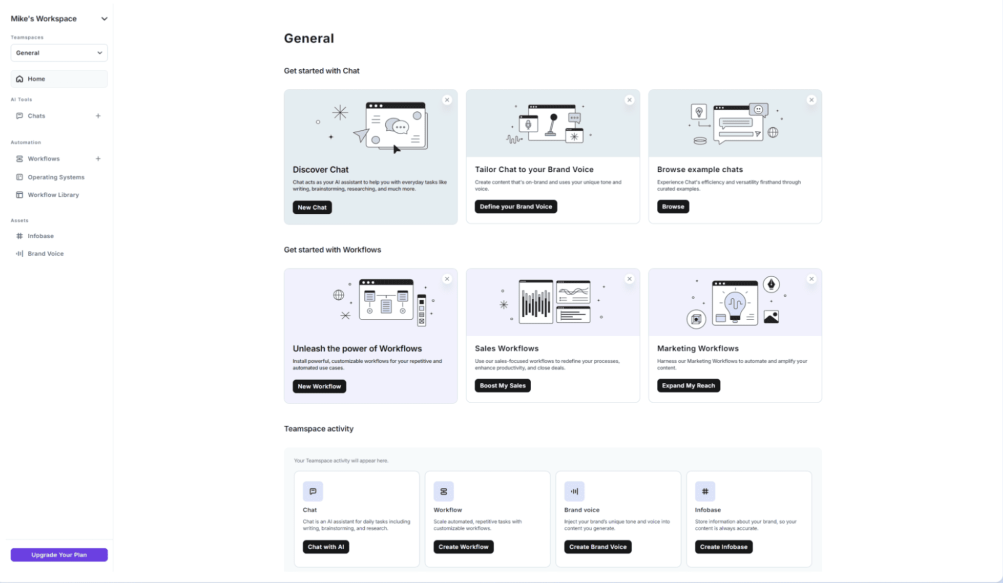
What Are Copy.ai Workflows?
Workflows are pre‑built or custom chains of AI actions. Instead of generating one piece of content at a time, you can build a pipeline that outputs complete campaigns (e.g., blog intro → social captions → hashtags → email subject lines) in a single click.
Why Freelance Social Media Managers Love Workflows
- Speed – Turn one idea into 10+ pieces of content.
- Consistency – Maintain brand voice across all outputs.
- Scalability – Serve more clients without working more hours.
- Repurposing – Convert a blog post into LinkedIn, Twitter, Instagram, and Facebook posts automatically.
Step‑by‑Step: Create Your First Workflow
- Log in to Copy.ai and go to the **Workflows** tab.
- Click **Create Workflow**.
- Choose a starting point: “Repurpose blog post” or “Social media campaign”.
- Define inputs – e.g., blog URL or topic.
- Add steps: “Generate 5 LinkedIn captions”, “Create Twitter thread”, “Write Instagram caption with emojis”, “Suggest 10 hashtags”.
- Set output format (text, CSV, or direct integration).
- Save and run – you’ll get a complete social media package in seconds.
Best Workflows for Freelancers
| Workflow name | Input | Output |
|---|---|---|
| Blog to social media | Blog URL or text | 5 tweets, 2 LinkedIn posts, 1 Instagram caption, 10 hashtags |
| Product launch | Product name + features | Email subject line, launch post, ad copy, call‑to‑action |
| FAQ generator | Topic or transcript | 10 frequently asked questions + answers |
| Case study summary | Client story notes | Short testimonial, bullet points, quote graphic text |
Pro Tips for Social Media Managers
- Brand voice – Set your brand voice in Copy.ai settings to keep outputs consistent.
- Combine workflows – Chain multiple workflows for end‑to‑end campaigns (e.g., research → draft → repurpose).
- Use Zapier – Connect Copy.ai workflows to Google Sheets, Notion, or Trello for automatic logging.
- A/B test – Run the same workflow with different tones (professional, casual, witty) to see what resonates.
Real Example: Repurposing a Blog Post
Imagine you wrote a blog post about “10 Time‑Saving AI Tools”. With one workflow, you can generate:
- 5 Twitter/X posts with key takeaways
- 2 LinkedIn posts (professional version)
- 1 Instagram carousel caption
- 10 relevant hashtags
- 1 email newsletter snippet
That’s hours of work done in 2 minutes.
Pricing
Copy.ai offers a free plan (2,000 words/month) that includes basic workflows. The Pro plan at $36/month unlocks unlimited words, advanced workflows, and priority support. For social media managers managing 3+ clients, Pro is worth it.
Conclusion – Work Smarter, Not Harder
Copy.ai Workflows can transform your social media management business. You’ll deliver more value, faster, and free up time for strategy and client relationships.
Start automating today: Try Copy.ai free →